LinkedIn - Streamining Job Applications

Empowering Job Seekers on LinkedIn

Empowering Job Seekers on LinkedIn

Streamlining Job Applications through Stronger Career Connections, Smarter Tracking, and Deeper Engagement

Streamlining Job Applications through Stronger Career Connections, Smarter Tracking, and Deeper Engagement

Methods

Methods

User Interview, Survey

Persona & Journey mapping

Competitive analysis

User-Business impact matrix

UI prototyping

Usability testing

User Interview, Survey

Persona & Journey mapping

Competitive analysis

User-Business impact matrix

UI prototyping

Usability testing

Role

Role

UX Researcher,
UX/UI Designer

UX Researcher,
UX/UI Designer

Team

Team

2 UX/UI designers

2 UX/UI designers

Timeline

Timeline

5 Weeks

5 Weeks

The problem

The problem

Job seekers come to LinkedIn with hope, but the black hole of the application journey often leaves them questioning the process and themselves.

Job seekers come to LinkedIn with hope, but the black hole of the application journey often leaves them questioning the process and themselves.

Active job seekers are losing confidence in their ability to land a job, according to the latest findings of LinkedIn's Workforce Confidence survey.

Active job seekers are losing confidence in their ability to land a job, according to the latest findings of LinkedIn's Workforce Confidence survey.

Desk Research

Desk Research

Reviews in threads: Voices of Frustration, Doubt, and Shallow Connections

Reviews in threads: Voices of Frustration, Doubt, and Shallow Connections

User feedback across Reddit, X, and Medium highlights friction, no tracking, weak networking, irrelevant roles, and minimal follow-up, making many question if LinkedIn truly supports job seekers.

User feedback across Reddit, X, and Medium highlights friction, no tracking, weak networking, irrelevant roles, and minimal follow-up, making many question if LinkedIn truly supports job seekers.

What did we uncover by speaking directly?

What did we uncover by speaking directly?

What did we uncover by speaking directly?

User Interview

User Interview

LinkedIn turns the job-search journey into a “black hole,” pushing job seekers to rely on personal outreach, and exposing critical gaps in networking, tracking , and personalization

LinkedIn turns the job-search journey into a “black hole,” pushing job seekers to rely on personal outreach, and exposing critical gaps in networking, tracking , and personalization

Interviews with 14 users revealed that LinkedIn often leaves applicants in the dark, feeling unsure and unsupported. Many shared that they had to chase opportunities manually, with little guidance or relevance. Their experience broke down in connection, clarity, and personalization.

Interviews with 14 users revealed that LinkedIn often leaves applicants in the dark, feeling unsure and unsupported. Many shared that they had to chase opportunities manually, with little guidance or relevance. Their experience broke down in connection, clarity, and personalization.

Persona

Patterns into stories: Three job seekers behind the struggle

Patterns into stories: Three job seekers behind the struggle

From first-time applicants to mid-career switchers, we created three personas grounded in real voices, bringing clarity, context, and purpose to every design decision.

The Ambitious Beginner

Recent Graduate, 22

Recent Graduate, 22

Pain points: No status feedback, Doesn’t know where to start, Low confidence in her skills

Needs:

  • A sense of community or peer mentorship

  • Progress tracking and clear next steps

  • Actionable feedback and accountability

Pain points: No status feedback, Doesn’t know where to start, Low confidence in her skills

Needs:

  • A sense of community or peer mentorship

  • Progress tracking and clear next steps

  • Actionable feedback and accountability

Sophie, an eager early‑career applicant who quickly loses steam without guidance, wants LinkedIn to turn job hunting from an isolating chore into a supportive, momentum‑tracking journey where she can confidently adjust course.

Sophie, an eager early‑career applicant who quickly loses steam without guidance, wants LinkedIn to turn job hunting from an isolating chore into a supportive, momentum‑tracking journey where she can confidently adjust course.

The Skeptical Seeker

Contract UX Researcher, 30

Contract UX Researcher, 30

Pain points: Scam postings, irrelevant matches, She copy‑pastes roles to remember them
Needs:

  • Smarter filters to remove noise

  • Built-in application tracking and clearer feedback loops

  • Control over who sees her job-seeking activity

Pain points: Scam postings, irrelevant matches, She copy‑pastes roles to remember them
Needs:

  • Smarter filters to remove noise

  • Built-in application tracking and clearer feedback loops

  • Control over who sees her job-seeking activity

Lena, a Premium user who views LinkedIn as a classifieds feed, cross‑checks firms, applies off‑site, and tracks progress herself. Time‑saving tools and verified, trustworthy postings are what keep Lena on LinkedIn.

Lena, a Premium user who views LinkedIn as a classifieds feed, cross‑checks firms, applies off‑site, and tracks progress herself. Time‑saving tools and verified, trustworthy postings are what keep Lena on LinkedIn.

The Strategic Networker

Data Product Manager, 35

Data Product Manager, 35

Pain points: Messages go unanswered, Hard to prove impact, Ads bury roles the roles that matter
Needs:

  • A clearer path to senior decision-makers

  • Recognition when he helps others grow

  • Job leads aligned with his next big move

Pain points: Messages go unanswered, Hard to prove impact, Ads bury roles the roles that matter
Needs:

  • A clearer path to senior decision-makers

  • Recognition when he helps others grow

  • Job leads aligned with his next big move

Ethan checks LinkedIn every day. He has a solid job now, but he dreams of a bigger role at a bigger firm. He wishes for closer links to senior people, proof that helping others lifts his own name, and job tips that match his next level.

Ethan checks LinkedIn every day. He has a solid job now, but he dreams of a bigger role at a bigger firm. He wishes for closer links to senior people, proof that helping others lifts his own name, and job tips that match his next level.

Journey Map

Roller-Coaster Rhythm: How do Real LinkedIn Users Navigate their Job Search Journey?

Roller-Coaster Rhythm: How do Real LinkedIn Users Navigate their Job Search Journey?

Our journey maps helped us spot where LinkedIn’s job search experience breaks down for users like Sophie, Lena, and Ethan. From Sophie’s early confusion to Lena’s distrust and Ethan’s stalled networking, we identified real moments of friction and uncovered key opportunities to improve clarity, confidence, and connection.

The Ambitious Beginner

The Ambitious Beginner

Recent Graduate

Recent Graduate

The Skeptical Explorer

The Skeptical Explorer

Contract UX Researcher

Contract UX Researcher

The Strategic Networker

The Strategic Networker

Data Product Manager

Data Product Manager

Competitive Analysis

Sideline Signals: Lessons Learned Beyond LinkedIn

Sideline Signals: Lessons Learned Beyond LinkedIn

LinkedIn leads users to opportunities, but offers limited support in tailored job discovery, and tracking compared to its competitors

Networking Opportunities

Glassdoor, Xing, and Hirect use intent signals and matches to support mentorship and referrals.

Status Alert and Filters
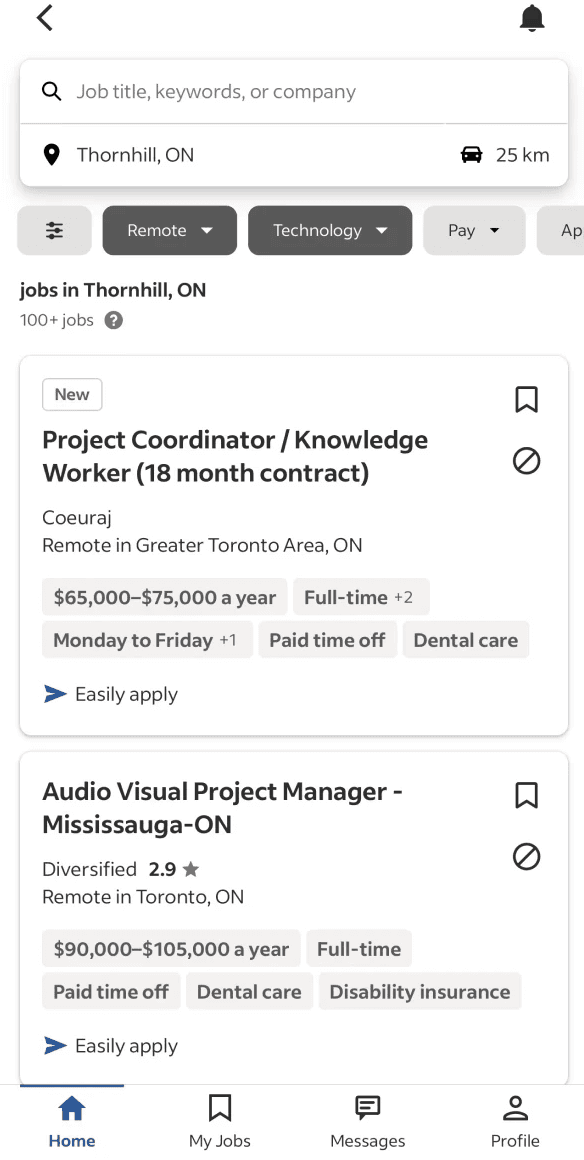
Indeed, Monster, and Xing offer clean filters, status updates, and saved searches for tailored alerts.

Personalized Job Discovery

Xing, Indeed, and Glassdoor use AI & dynamic filters to match roles with users’ skills and goals.

Application Tracker

Monster, Indeed, and Xing sync with ATS tools for real-time updates and interviews.

Confident Exploration

Platforms like Monster offer anonymous recruiter outreach, letting users explore opportunities. 

Transparent Job Posts

Glassdoor and Xing provide transparent insights, like applicant reviews and interview tips, on listings.

We’ve seen what’s broken.
Now, what’s worth building?

We’ve seen what’s broken.
Now, what’s worth building?

Ideation

Big Wins, Quick Fixes: Prioritize Insights to Deliver Impactful Solutions

We prioritized ideas that guide Sophie, streamline Lena’s search, and boost Ethan’s visibility. The matrix highlights quick wins and impactful tools to make LinkedIn more supportive, focused, and empowering.

It was time to give shape to our solutions

It was time to give shape to our solutions

wireframes

Pixels with Purpose: Crafting Screens That Dissolve the Chaos

Pixels with Purpose: Crafting Screens That Dissolve the Chaos

Each screen solves one problem: weak networking, getting lost in the process, irrelevant job posts, or privacy concerns, all while keeping LinkedIn’s familiar look. Together they turn job hunting from scattered chaos into a clear, guided path.

#1

My Progress Hub

My Progress Hub

Problem:

The current journey is disconnected. Sophie is looking for a path but doesn't have a map yet, needing thorough guidance. Lena is burdened by manual work, forced to use external spreadsheets because she can't rely on the platform's accuracy. Ethan has the materials but needs the blueprint for the next level.

The current journey is disconnected. Sophie is looking for a path but doesn't have a map yet, needing thorough guidance. Lena is burdened by manual work, forced to use external spreadsheets because she can't rely on the platform's accuracy. Ethan has the materials but needs the blueprint for the next level.

Solution:

My Progress Hub replaces the existing "My Jobs" section. The Tracker removes the friction of external tools, replacing them with a reliable, integrated pipeline.
The Skills provides the map and the blueprint. It aligns learning with target roles, which helps users build strategy, not just browse listings.

My Progress Hub replaces the existing "My Jobs" section. The Tracker removes the friction of external tools, replacing them with a reliable, integrated pipeline.
The Skills provides the map and the blueprint. It aligns learning with target roles, which helps users build strategy, not just browse listings.

Guidance & Momentum

Efficiency & Control

Alignment & Growth

Tracker

Centralizes the user's entire job search pipeline. It automatically organizes all submissions and interest into actionable stages: Applications, Interviews, Pending, Rejected, Saved, and Archived, ensuring no opportunity is missed.

Centralizes the user's entire job search pipeline. It automatically organizes all submissions and interest into actionable stages: Applications, Interviews, Pending, Rejected, Saved, and Archived, ensuring no opportunity is missed.

Skills

A dashboard designed to help users identify skill gaps and grow strategically. It suggests the most in-demand skills based on career goals, allowing users to actively track their proficiency over time for both recommended and manually added expertise.

A dashboard designed to help users identify skill gaps and grow strategically. It suggests the most in-demand skills based on career goals, allowing users to actively track their proficiency over time for both recommended and manually added expertise.

#2

Network Path Graph

Network Path Graph

Problem:

Ethan chases roles at target companies but wastes time trying to find the right mutual contact for referral.

With no clear map of who can introduce him, he hesitates and chances slip away.

Ethan chases roles at target companies but wastes time trying to find the right mutual contact for referral.

With no clear map of who can introduce him, he hesitates and chances slip away.

Solution:

A graph that highlights his best mutuals at each target company, letting him send a pre-drafted intro in one tap. It turns loose ties into warm leads and saves time while building real professional relationships.

A graph that highlights his best mutuals at each target company, letting him send a pre-drafted intro in one tap. It turns loose ties into warm leads and saves time while building real professional relationships.

Visibility & Action

#3

Conversation Circles (LinkUp)

Conversation Circles (LinkUp)

Problem:

Sophie needs focused advice/mentors away from noisy groups. Ethan seeks a place to share experience, build reputation, and connect. Both require a clear, goal-based community to prevent their networking from stalling.

Sophie needs focused advice/mentors away from noisy groups. Ethan seeks a place to share experience, build reputation, and connect. Both require a clear, goal-based community to prevent their networking from stalling.

Solution:

LinkUp sit inside My Network › Grow. Sophie and Ethan can browse or create small, goal-based circles, track “impact points” for giving help, and join live events or Q&As. So peer support, mentoring, and real connections happen.

LinkUp sit inside My Network › Grow. Sophie and Ethan can browse or create small, goal-based circles, track “impact points” for giving help, and join live events or Q&As. So peer support, mentoring, and real connections happen.

Credibility & Growth

Reputation & Reach

#4

Hide Irrelevant Jobs

Hide Irrelevant Jobs

Problem:

Lena scrolls through the Jobs tab and sees role after role that doesn’t match her skills or target cities. Sifting through this clutter wastes time and buries the few offers that truly fit.

Lena scrolls through the Jobs tab and sees role after role that doesn’t match her skills or target cities. Sifting through this clutter wastes time and buries the few offers that truly fit.

Solution:

By tapping “More” and choosing “Irrelevant,” Lena trains the feed to hide similar posts. A confirmation toast appears, the list refreshes in real time, and the feed quickly shifts to jobs that match her goals.

By tapping “More” and choosing “Irrelevant,” Lena trains the feed to hide similar posts. A confirmation toast appears, the list refreshes in real time, and the feed quickly shifts to jobs that match her goals.

Focus & Relief

#5

Opportunity Signals and Nudges

Opportunity Signals and Nudges

Problem:

Sophie has no clue when a hiring manager looks her way. Lena hears about key company moves too late. Ethan can’t spot the mutual friend who could vouch for him. Each of them misses the moment when taking action could turn interest into an interview.

Sophie has no clue when a hiring manager looks her way. Lena hears about key company moves too late. Ethan can’t spot the mutual friend who could vouch for him. Each of them misses the moment when taking action could turn interest into an interview.

Solution:

A single Signals hub gathers every warm cue (profile views, recent hires, and fresh, relevant job posts) into one stream. Inline nudges prompt timely actions like “Message,” “Apply,” or “Reach out,” so users can jump on opportunities before they slip away.

A single Signals hub gathers every warm cue (profile views, recent hires, and fresh, relevant job posts) into one stream. Inline nudges prompt timely actions like “Message,” “Apply,” or “Reach out,” so users can jump on opportunities before they slip away.

Awareness & Action

Timing & Insight

Clarity & Outreach

#6

Private Open-to-Work Badge

Private Open-to-Work Badge

Problem:

Lena needs new opportunities but can’t tip off current colleagues or clients, so she keeps the all-visible Open-to-Work badge off and loses recruiter views.

Lena needs new opportunities but can’t tip off current colleagues or clients, so she keeps the all-visible Open-to-Work badge off and loses recruiter views.

Solution:

To add a “Custom” option. Users pick people or companies to hide; everyone else still sees the badge. Recruiters reach out, while hidden contacts stay unaware.

To add a “Custom” option. Users pick people or companies to hide; everyone else still sees the badge. Recruiters reach out, while hidden contacts stay unaware.

Visibility & Action

What Would Success Actually Look Like?

What Would Success Actually Look Like?

What Would Success Actually Look Like?

IMPACT METRICS

Blueprint for Success: How We’d Measure It

Blueprint for Success: How We’d Measure It

Without a live study, these impact metrics outline exactly how each feature should prove its worth in the real world.

Solution

Solution

Metrics

Metrics

Why matters

Why matters

My Progress Hub

My Progress Hub

Time to locate application status

% of users who spot next skill step unaided

Clarity score for job-search progress

Time to locate application status

% of users who spot next skill step unaided

Clarity score for job-search progress

Reveals if the hub actually saves effort and guides growth, providing it replaces scattered tools.

Reveals if the hub actually saves effort and guides growth, providing it replaces scattered tools.

Network Path Graph

Network Path Graph

Time to find a mutual contact

Warm intros sent per session

Reply rate from those contacts

Time to find a mutual contact

Warm intros sent per session

Reply rate from those contacts

Shows whether the graph speeds outreach and turns loose ties into real conversations.

Shows whether the graph speeds outreach and turns loose ties into real conversations.

LinkUp

LinkUp

Weekly active posts or replies

Two-week return rate

Average peer “helpfulness” rating

Weekly active posts or replies

Two-week return rate

Average peer “helpfulness” rating

Confirms circles build sustained engagement and genuine support, not one-off chatter.

Confirms circles build sustained engagement and genuine support, not one-off chatter.

Hide Irrelevant Jobs

Hide Irrelevant Jobs

Drop in off-target job impressions

Lift in clicks on relevant roles

User satisfaction with job feed

Drop in off-target job impressions

Lift in clicks on relevant roles

User satisfaction with job feed

Validates that the hide action cleans the feed and steers attention to better matches.

Validates that the hide action cleans the feed and steers attention to better matches.

Opportunity Signals

Opportunity Signals

Actions taken within 24h of a signal

Overall nudge engagement rate

Conversation lift to recruiter replies

Actions taken within 24h of a signal

Overall nudge engagement rate

Conversation lift to recruiter replies

Measures if prompts drive timely action and translate into more recruiter conversations.

Measures if prompts drive timely action and translate into more recruiter conversations.

Private Open-to-Work

Private Open-to-Work

Recruiter views with badge hidden from peers

User confidence in privacy (survey)

Unwanted badge exposures (target = 0)

Recruiter views with badge hidden from peers

User confidence in privacy (survey)

Unwanted badge exposures (target = 0)

Confirms the badge boosts visibility, while protecting confidentiality, building trust.

Confirms the badge boosts visibility, while protecting confidentiality, building trust.

Iterations

Potential Slowdowns: Feedback that Fixed the Flow

Potential Slowdowns: Feedback that Fixed the Flow

We ran quick evaluation and asked for feedbacks to flag sticking points where users might get stuck, then iterated on the designs until each screen felt smoother, easier to use, and more in line with LinkedIn’s familiar patterns.

Open To Work v1.0

  • User picks “All Members,” yet they’re still not sure who can actually see their badge.

  • Too many red “Remove” that makes the list feel messy. First “Excluded members,” then “+Add,” then the list is confusing.

  • Hiding people happens one by one, no quick multi-select, so the whole process drags.

  • User picks “All Members,” yet they’re still not sure who can actually see their badge.

  • Too many red “Remove” that makes the list feel messy. First “Excluded members,” then “+Add,” then the list is confusing.

  • Hiding people happens one by one, no quick multi-select, so the whole process drags.

Open To Work v2.0

  • Clear Custom option on the main LinkedIn screen removes confusion.

  • Hidden Audience uses LinkedIn-style search on top of the page, so it’s clean and easy to see.

  • Familiar LinkedIn checkboxes let you hide multiple people or whole companies at once.

  • Clear Custom option on the main LinkedIn screen removes confusion.

  • Hidden Audience uses LinkedIn-style search on top of the page, so it’s clean and easy to see.

  • Familiar LinkedIn checkboxes let you hide multiple people or whole companies at once.

Network Path Graph - Introduction Card v1.0

  • Cryptic arrow icon; people stop to decode what it means.

  • Vague “Facilitate connection” copy; users feel unsure and delay tapping.

  • Split text and icon create clutter, scattering attention around card.

  • Cryptic arrow icon; people stop to decode what it means.

  • Vague “Facilitate connection” copy; users feel unsure and delay tapping.

  • Split text and icon create clutter, scattering attention around card.

Network Path Graph - Introduction Card v2.0

  • Plain sentence explains request instantly, so people get it immediately.

  • Three avatars and dotted line show middle-person role in seconds.

  • “Make the introduction” echoes feature name, prompting fast, confident taps.

  • Plain sentence explains request instantly, so people get it immediately.

  • Three avatars and dotted line show middle-person role in seconds.

  • “Make the introduction” echoes feature name, prompting fast, confident taps.

Project key takeaways

What We Learned, and Why It Matters

What We Learned, and Why It Matters

In five weeks we listened to 14 job-seekers, benchmarked +6 competitors, and shaped six LinkedIn-ready concepts. Together they turn the platform’s job-hunt “black hole” into a guided journey, clear signals, built-in tracking, and human connections that help talent and opportunity meet faster.

Select this text to see the highlight effect

Create a free website with Framer, the website builder loved by startups, designers and agencies.